Overview
An opinionated Skill and toolkit for AI agents to generate consulting-style PowerPoint table slides from YAML specifications. Your agent writes structured text, Clean Slides handles column widths, row heights, font sizing, dividers, and bullet hierarchy — producing .pptx files that look like they were built by hand.
It's deliberately not a general-purpose slide builder. No graphics, no animations, no imagery. Just tables.
Two example .pptx pages, neither touched by me:

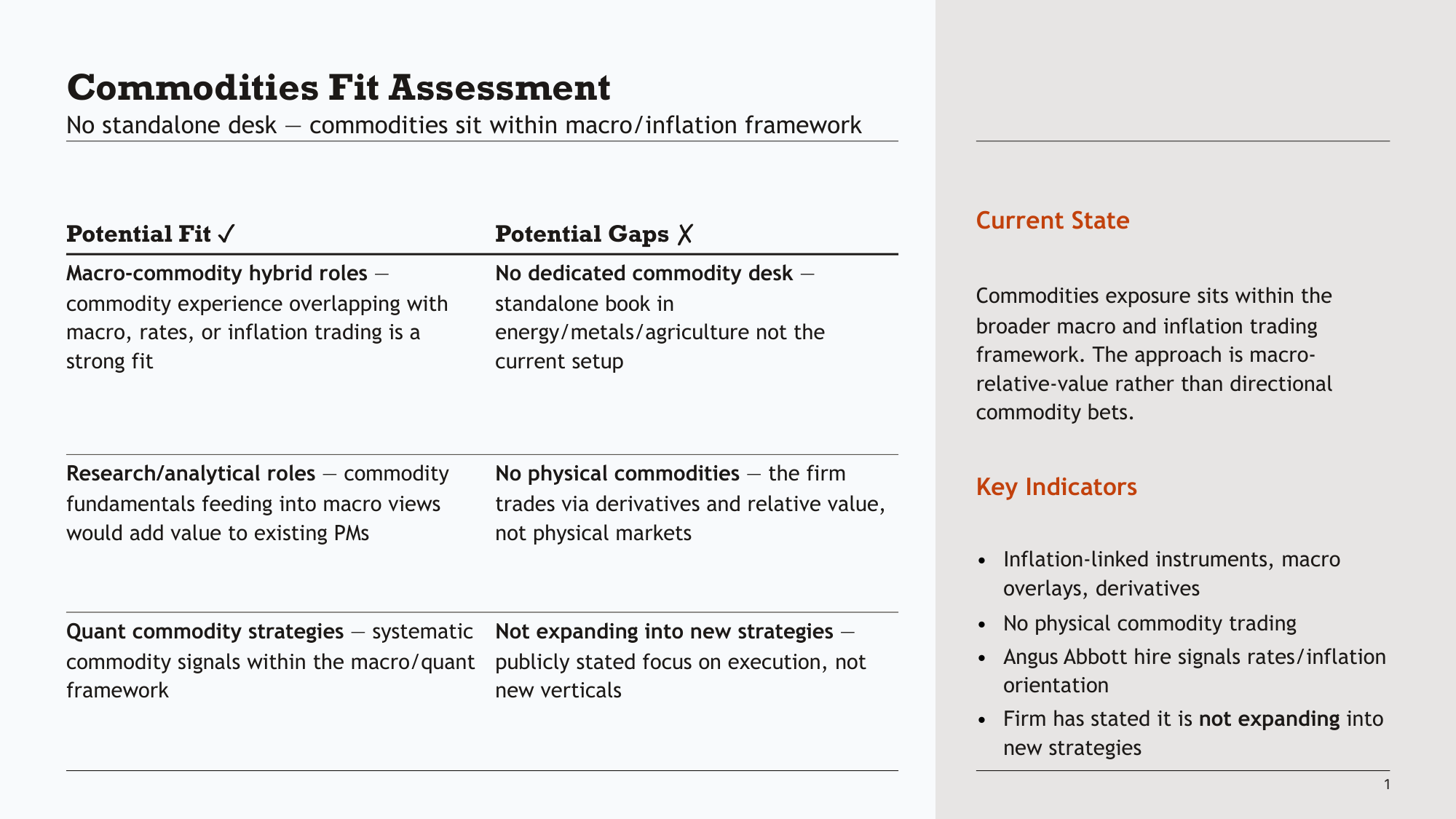
The consulting slide
I spent about six years at McKinsey, and the slides I preferred to write — and that the strategy practice colleagues I worked with tended to produce — were fairly monastic. A table with structured text. A clear title stating the takeaway. Maybe some coloured indicators. That's it.
This is a minority position in the world of AI slide tools, which mostly focus on visual polish and imagery. Those have their place, but they solve a different problem. In consulting and professional services, a slide is really just a medium for structured argumentation that happens to be visual. You figure out the narrative first, decompose it into units, and each unit becomes a page. The slide format lets you lay out the component parts of an argument in a way that's harder to do in a vertical document — but the value is in the structure and the words, not the presentation.
Tables are the primary medium because a table is the minimal way to express structured thinking: categories on one axis, attributes on the other, content in the cells. Clean Slides takes that literally — it produces text tables with careful typography and nothing else.
Design choices
The formatting is opinionated in ways that mostly come down to removing things:
- No bullets at level zero. The default paragraph style has no bullet character. Bullets create visual clutter; spacing and indentation create the hierarchy instead.
- No pure black or white. Near-black blue for text, near-white for backgrounds. Reduces eye strain without being noticeable.
- Colour only for information. When the tool uses colour — indicators, row headers, column headers — it's always to serve readability or convey status. Never decorative.
- Serif headlines, sans-serif body. Georgia for titles and headers (signals structure), Arial for everything else (optimised for reading at small sizes).
I have no design background. I later learned from research that some of these choices align with established typographic and information design principles — but at the time they were just what made clean presentations that still let me focus on thinking through what would actually help my clients.
What it's like with an AI agent
The constraint is the point. When an AI agent uses Clean Slides (via the Skill), the output is remarkably consistent — because there aren't many degrees of freedom. The agent can't make bad font choices or add distracting graphics. It writes YAML, the tool formats it, and the result looks like every other slide in the deck.
I tested this on an old client workshop presentation that had some placeholder slides and messy notes. I asked the agent to fill them out. The results were:
- Final on formatting — proper hierarchy, correct fonts, consistent spacing. No manual cleanup needed.
- Close to final on content — the text was occasionally repetitive, but the structure and argumentation were solid. The kind of first draft I'd have been happy to receive from a team member.
- Consistent with the surrounding pages — this was the part that surprised me. The wording and structure felt like they belonged in the same document, not bolted on by a different author.
With a less constrained tool, I haven't found that. The formatting varies, the style drifts, and you spend time fixing the presentation instead of the thinking.
Scope
Clean Slides does a few things and that's it:
- Text tables — the core. Row headers, column headers, superheaders, nested bullets, inline formatting.
- Icon indicators — traffic-light style filled circles for RAG status, severity scales, confidence levels.
- Sidebars — formatted text in split layouts (2/3, 3/4, etc.).
- Slide management — inspect, edit, merge, render.
Over time I'll probably add some variations — timelines represented as tables, maybe a few clean chart types. But the library will always remain minimal. The constraint is what makes it work.
Installation
With Pi:
pi install npm:@tmustier/pi-clean-slidesOr manually:
# clone into your agent skills directory (e.g. ~/.pi/agent/skills/, ~/.claude/skills/)
git clone https://github.com/tmustier/clean-slides && cd clean-slides
pip install -e .
pptx init              # sets up .clean-slides/ with an example template
pptx generate spec.yaml -o slide.pptx
Also available as an agent Skill for agent-driven slide generation.
Clean Slides works with any agent, but I use pi.dev with my Agent Teams extension that lets the agent create clones of itself with the same context and manage them — so each clone worked on one page with full context, and the original agent focused on output quality and consistency, similar to how a consulting team would split work after a group problem-solving meeting. You can optionally do this with:
npm install -g @earendil-works/pi-coding-agent
pi install npm:@tmustier/pi-agent-teams